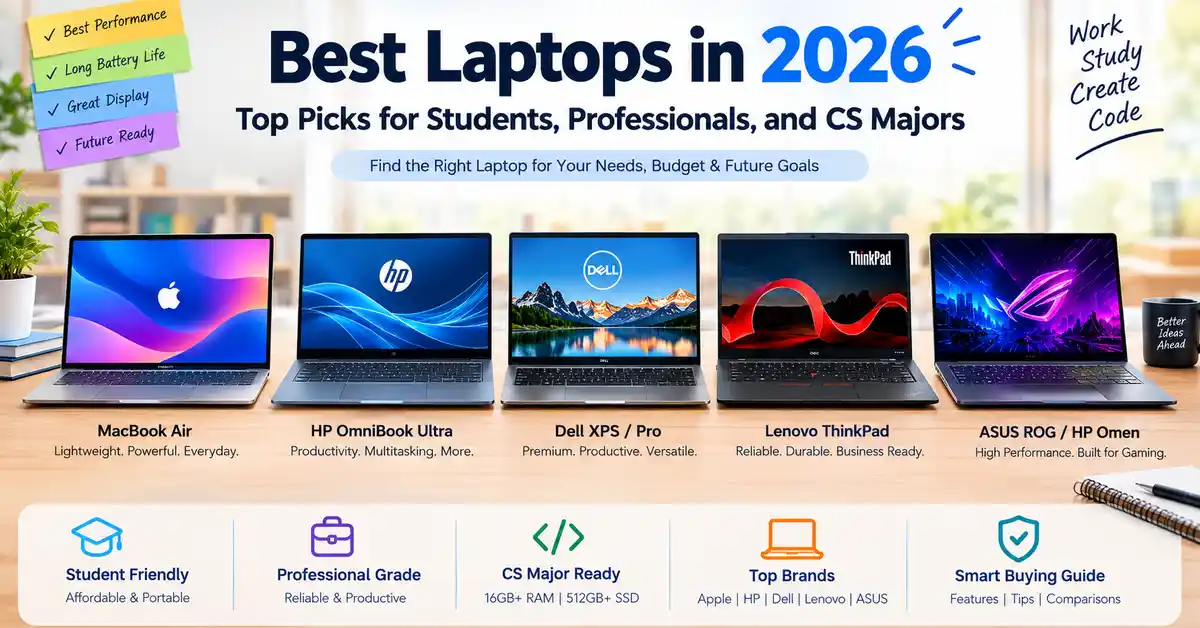
Which Laptop Is Best in 2026?
The best laptop depends on your budget, operating system preference, and daily workload. The Apple MacBook Air 13-inch with the M5 chip is a strong all-round option for students and everyday users who want long battery life, quiet operation, and a lightweight design.
For Windows users, the HP OmniBook Ultra 14 is worth considering for productivity and multitasking. Budget-conscious buyers can compare the Apple MacBook Neo and Dell XPS 13, while computer science students should focus on laptops with at least 16GB of RAM and 512GB of SSD storage.
| Laptop | Category | Best Suited For | Approximate US Price |
|---|---|---|---|
| Apple MacBook Air 13-inch (M5) | Best Overall | Students and everyday users | $1,099–$1,199 |
| HP OmniBook Ultra 14 | Best Windows Option | Productivity and multitasking | $1,199–$1,449 |
| Apple MacBook Neo | Budget Laptop | Basic schoolwork and browsing | From $599 |
| Dell XPS 14 | Premium Windows Laptop | Developers and creators | $1,699–$1,849 |
| Dell XPS 13 | Budget Ultraportable | Travel and office work | From $699 |
| HP OmniBook 5 14-inch | Battery-Focused Option | Remote work and travel | $799–$899 |
| Framework Laptop 16 | Repairable Laptop | Developers and Linux users | $1,399–$1,999 |
| Asus Zenbook A14/A16 | Lightweight Option | Mobile productivity | $999–$1,399 |
Prices are indicative figures from the source article, not verified live offers. Actual configurations, availability, and prices may differ.
Introduction:
What to Consider When Buying a Laptop in 2026
Choosing a laptop involves more than comparing processor speeds. Modern laptops offer different processor architectures, AI features, display technologies, and battery capabilities. These differences can affect how comfortably a laptop handles your work.
Major processor families include Apple Silicon, Intel Core Ultra, AMD Ryzen AI, and Qualcomm Snapdragon. They offer different combinations of performance, power consumption, graphics capability, and software compatibility.
Your ideal laptop should have enough memory and storage for your tasks, a comfortable keyboard, a suitable display, and enough battery life for your routine. Students studying computer science may also need compatibility with programming tools, virtual machines, and Linux environments.
The following recommendations cover popular laptop categories and explain what to check before making a purchase.
Best Laptops in 2026 by Category
1. Apple MacBook Air 13-inch and 15-inch (M5): Best Overall
The MacBook Air is a suitable choice for users who want a portable laptop for studying, office tasks, programming, and everyday entertainment. Its fanless design allows it to operate silently, making it useful in classrooms, libraries, and quiet workspaces.
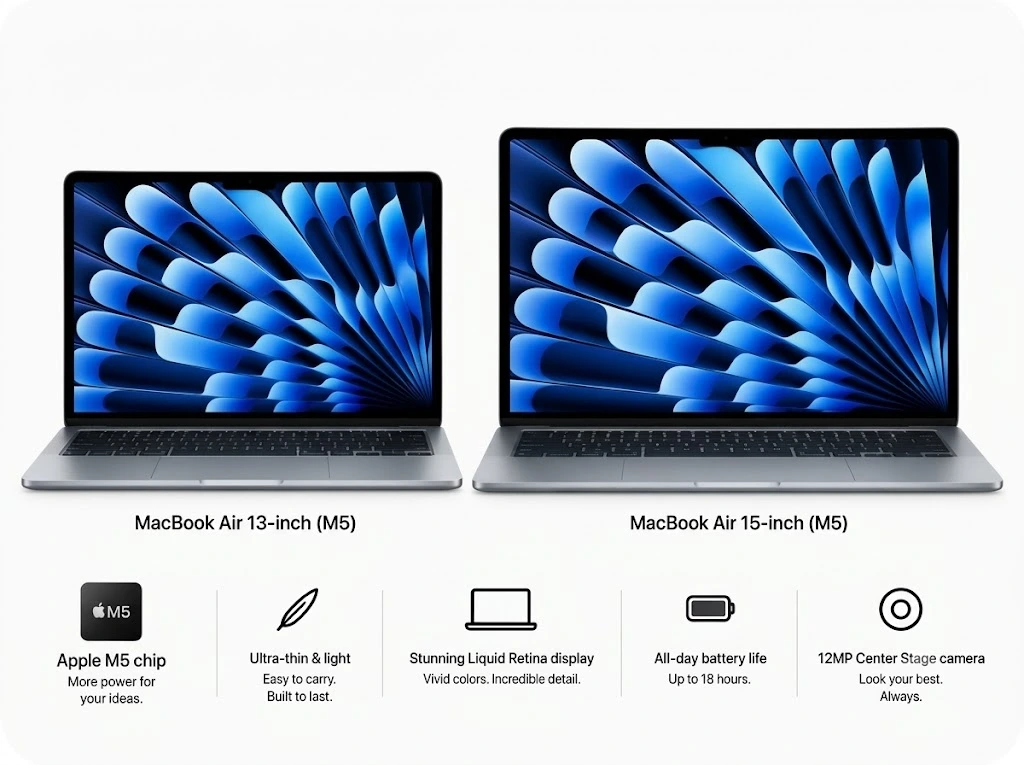
The M5 processor is designed to handle multitasking, coding, photo editing, and many demanding everyday applications. The aluminium body provides a premium feel, while the lightweight design makes the laptop convenient to carry.
Advantages
- Silent operation because it has no cooling fan.
- Lightweight construction and long battery life.
- A 512GB SSD starting configuration, according to the source article.
- Suitable performance for many programming and creative tasks.
Disadvantages
- A limited number of physical ports.
- The 60Hz display may feel less fluid than some higher-refresh-rate screens.
- Memory and storage upgrades can increase the purchase price.
Choose the MacBook Air if you prefer macOS, portability, and quiet performance. Users who regularly perform long, intensive workloads may benefit from a laptop with active cooling.
2. HP OmniBook Ultra 14: Best Windows Laptop
The HP OmniBook Ultra 14 targets users who want a premium Windows laptop for business, productivity, and multitasking. Depending on the available configuration, processor choices and other specifications may differ.
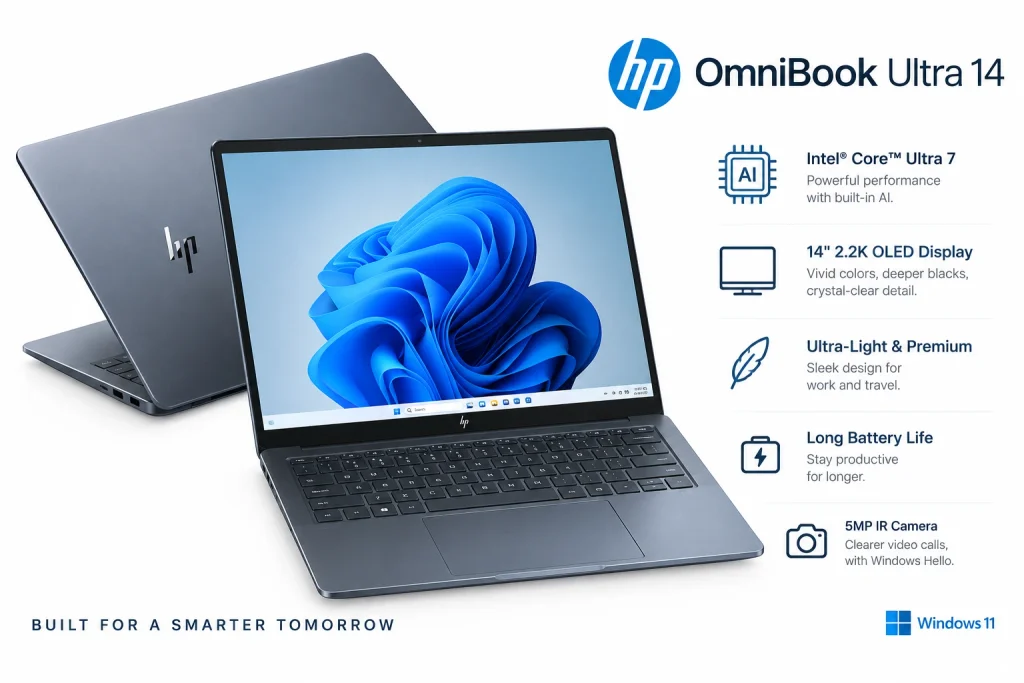
Its main attractions include a portable design, a comfortable keyboard, high-resolution display options, and features for video meetings. It is worth comparing with premium MacBook models if you need Windows-specific applications.
Advantages
- Designed for demanding productivity tasks.
- Comfortable typing experience.
- Display and webcam options suited to office work.
- Windows compatibility for a wide range of applications.
Disadvantages
- More expensive than entry-level laptops.
- Specifications vary across configurations.
- Higher performance may come with increased cost.
Check the exact processor, memory, display, and port selection before purchasing.
3. Apple MacBook Neo: Best Budget Student Laptop
The MacBook Neo is positioned as an affordable way to access Apple’s laptop experience. The source article lists a starting US price of $599, with a lower education price for eligible buyers.
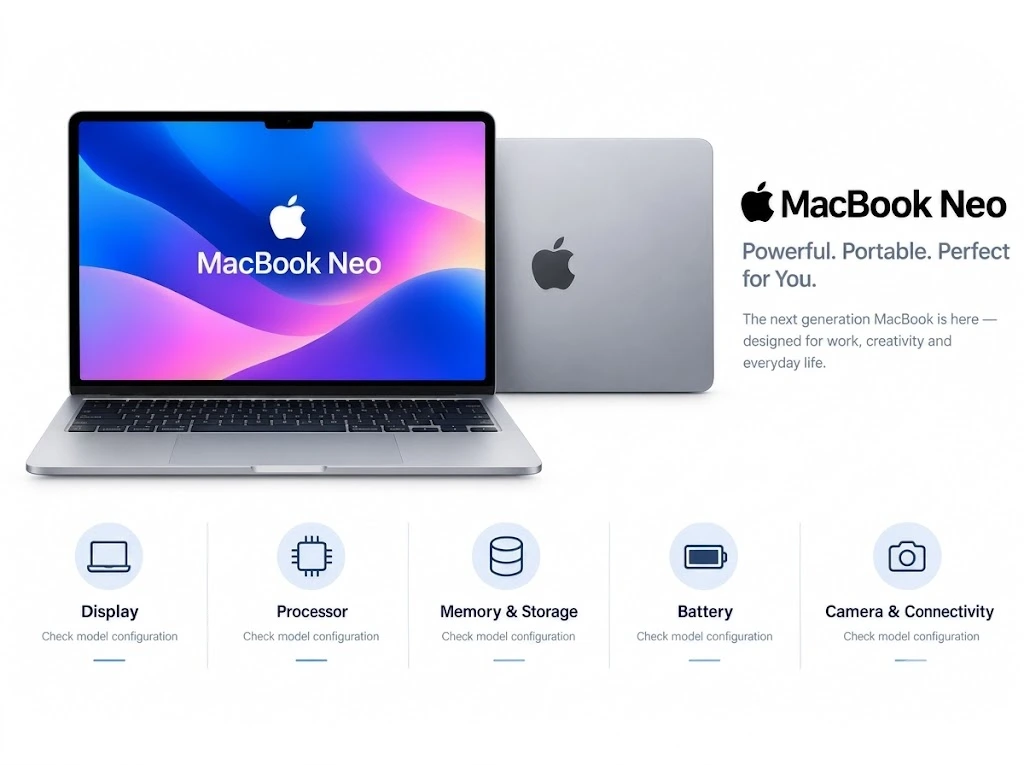
It is intended for everyday tasks such as writing assignments, browsing, video calls, online classes, and streaming. Its compact design makes it convenient for students who carry a laptop throughout the day.
Advantages
- Portable construction.
- macOS and integration with compatible Apple devices.
- Suitable for everyday educational tasks.
- A lower entry price than premium MacBook models.
Disadvantages
- Less suited to intensive graphics and demanding professional workloads.
- Entry-level memory or storage may limit future flexibility.
- Buyers should compare its configuration carefully with Windows alternatives.
It can suit students who mainly use browser-based applications and standard productivity software. Those studying advanced programming, engineering, or graphics-intensive subjects should check their course requirements first.
4. Framework Laptop 16: Best for Repairability and Upgrades
Many thin laptops have memory soldered directly to the motherboard, making later upgrades impossible. The Framework Laptop 16 takes a different approach by offering a modular design intended to make repairs and upgrades easier.
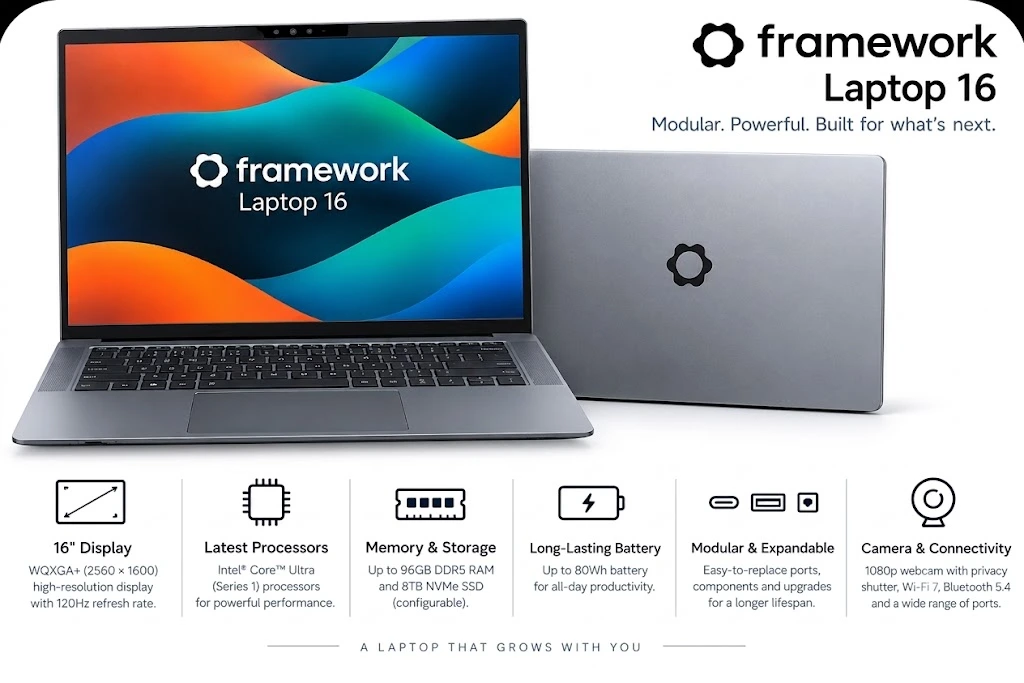
Depending on the configuration, users can upgrade components such as memory and storage and select compatible expansion modules. This can be useful for people who want to keep their laptop for longer rather than replacing the entire machine when their needs change.
Advantages
- Designed with repairability in mind.
- Modular expansion options.
- Useful for Linux users and developers.
- Greater potential for component upgrades than many thin laptops.
Disadvantages
- Higher initial cost than basic laptops.
- Component upgrades require research and compatibility checks.
- Size, weight, and battery life may not suit every traveller.
Consider this model if long-term maintenance and hardware flexibility are more important to you than having the thinnest possible laptop.
HP vs Dell: Which Brand Should You Choose?
HP and Dell offer laptops for students, professionals, and business users. However, product names and specifications change over time, so compare individual models rather than choosing based on the brand alone.
HP laptop options
The source article describes HP’s consumer lineup under the OmniBook name:
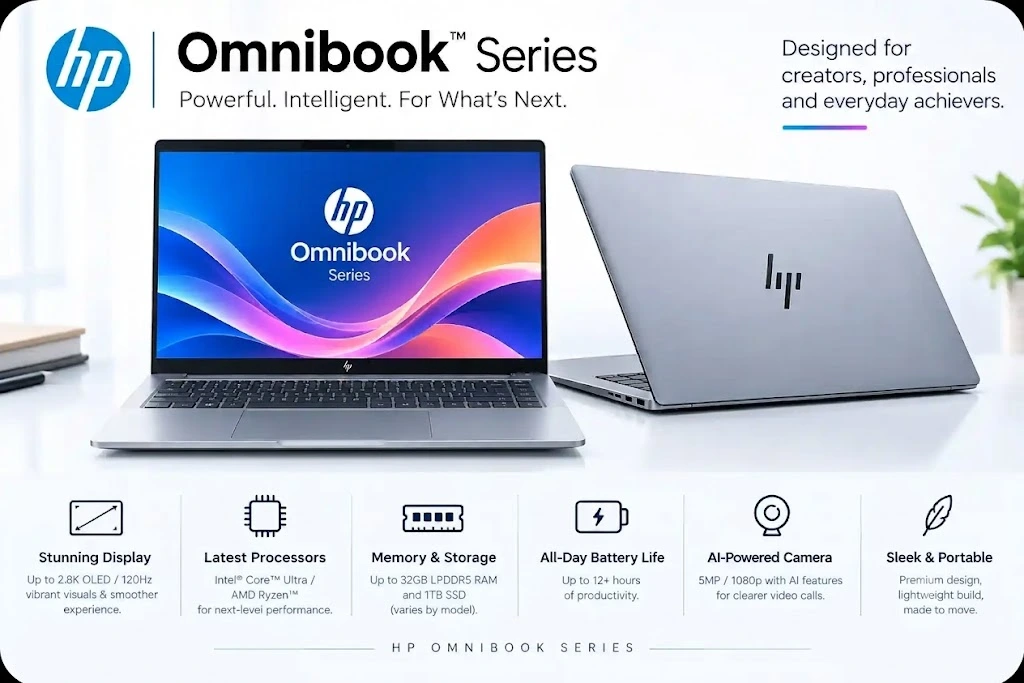
- OmniBook 3: Entry-level everyday computing.
- OmniBook 5: Mainstream productivity and general use.
- OmniBook 7: Upper-mid-range laptops.
- OmniBook X: Thin-and-light models with an AI focus.
- OmniBook Ultra: Premium performance models.
HP also offers business-focused EliteBook models and gaming laptops under its gaming brands.
The OmniBook Ultra may suit users looking for premium materials and productivity features. The OmniBook 5 is worth comparing if battery life and everyday tasks are your priorities. A convertible model, where available, may suit students who want touchscreen functionality.
Dell laptop options
Dell’s product families cover several types of users:
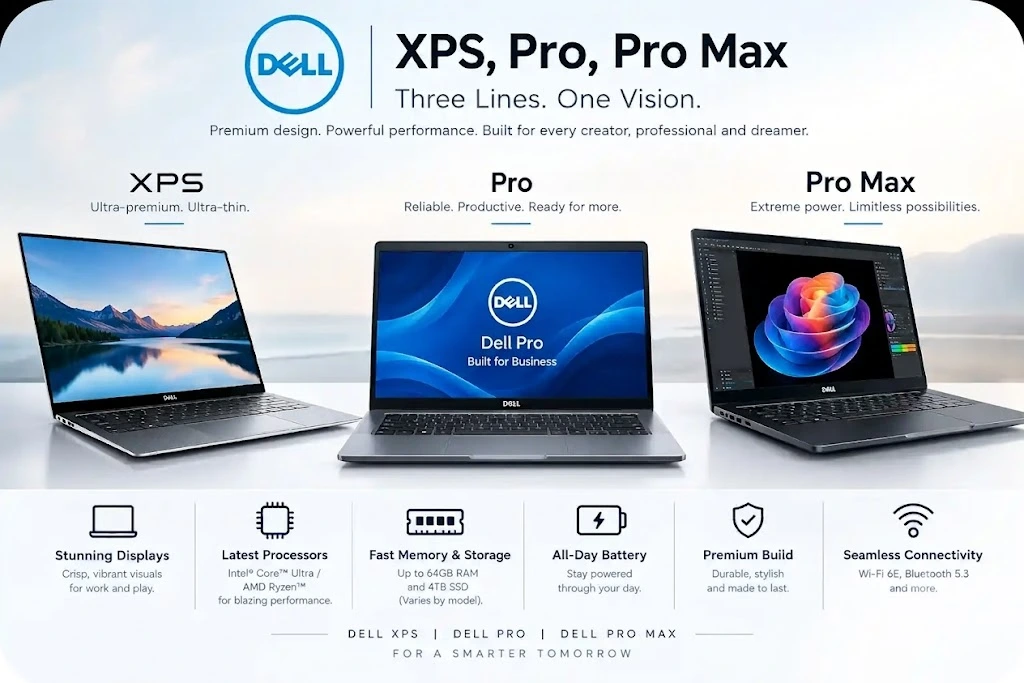
- Dell XPS: Premium laptops for productivity and creative work.
- Dell: Mainstream everyday computing.
- Dell Pro: Business-oriented systems.
- Dell Pro Max: Higher-performance professional workstations.
The XPS 14 may suit developers and creators who want a premium compact laptop. The XPS 13 is aimed at users who value portability. Dell’s business and workstation models may be more appropriate when specialist software or enterprise support is required.
HP vs Dell comparison
| Factor | HP | Dell |
|---|---|---|
| Value | Compare OmniBook configurations and seasonal discounts | Compare base prices with the cost of necessary upgrades |
| Design | Offers a range of practical and premium designs | XPS models focus on premium materials and compact construction |
| Video calls | Some models offer high-resolution webcams | Webcam and audio quality vary by model |
| Business use | EliteBook models target professional users | Dell Pro models target business environments |
| Linux support | Check support for the exact model | Some configurations may offer official Linux options |
Verdict: Neither brand is universally better. Compare the exact laptop’s build quality, keyboard, display, warranty, battery life, and total price.
Best Laptop for Computer Science Students in 2026
Computer science students often need more than a laptop for documents and web browsing. Their coursework may involve programming environments, databases, virtual machines, software testing, and development tools.
A suitable computer should have enough memory and storage to handle these applications without frequent slowdowns.
Recommended specifications
RAM: 16GB minimum, 32GB for demanding work
Memory is important when running an IDE, browser tabs, databases, Docker containers, and virtual machines at the same time. A laptop with 16GB is a practical starting point for many students. Choose 32GB if your workload involves multiple virtual machines, larger development environments, or machine learning projects.
Processor and operating system
Intel and AMD laptops generally provide broad compatibility with traditional Windows software. Apple Silicon laptops can be excellent for programming through macOS and its Unix-based development environment.
Windows laptops powered by ARM processors can offer strong battery life, but some specialist applications, drivers, and university lab tools may not work as expected. Check your course’s software requirements before buying one.
Storage: 512GB SSD or more
Programming tools, development environments, project files, virtual machines, and mobile-device simulators can use substantial storage. A 512GB SSD is a sensible starting point, while 1TB may be preferable for larger projects.
Screen and keyboard
A comfortable keyboard is important when you write code for long periods. A 16:10 display can show more lines of code vertically than a similar-width 16:9 screen. Also consider brightness, resolution, weight, and battery life.
Four laptop options for CS students
1. MacBook Air or MacBook Pro
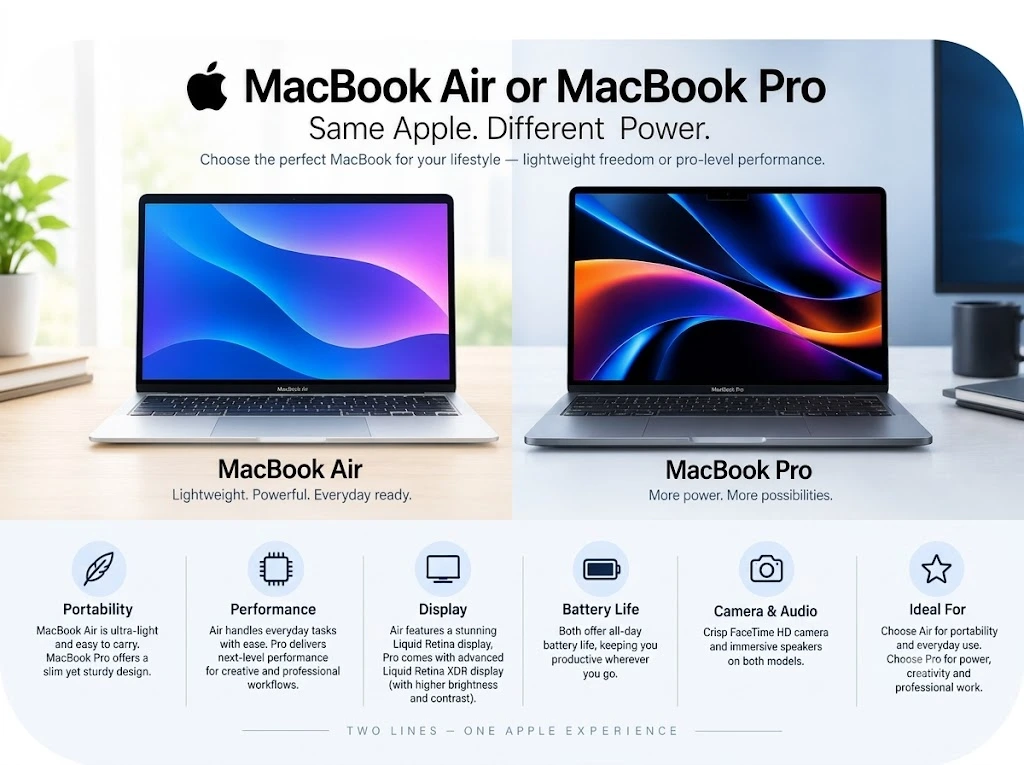
A MacBook Air with sufficient memory and storage is a portable choice for web development, Python, Java, and many other programming tasks. The MacBook Pro may be more suitable for sustained heavy workloads that benefit from active cooling or stronger graphics performance.
2. Lenovo ThinkPad X1 Carbon or T14s
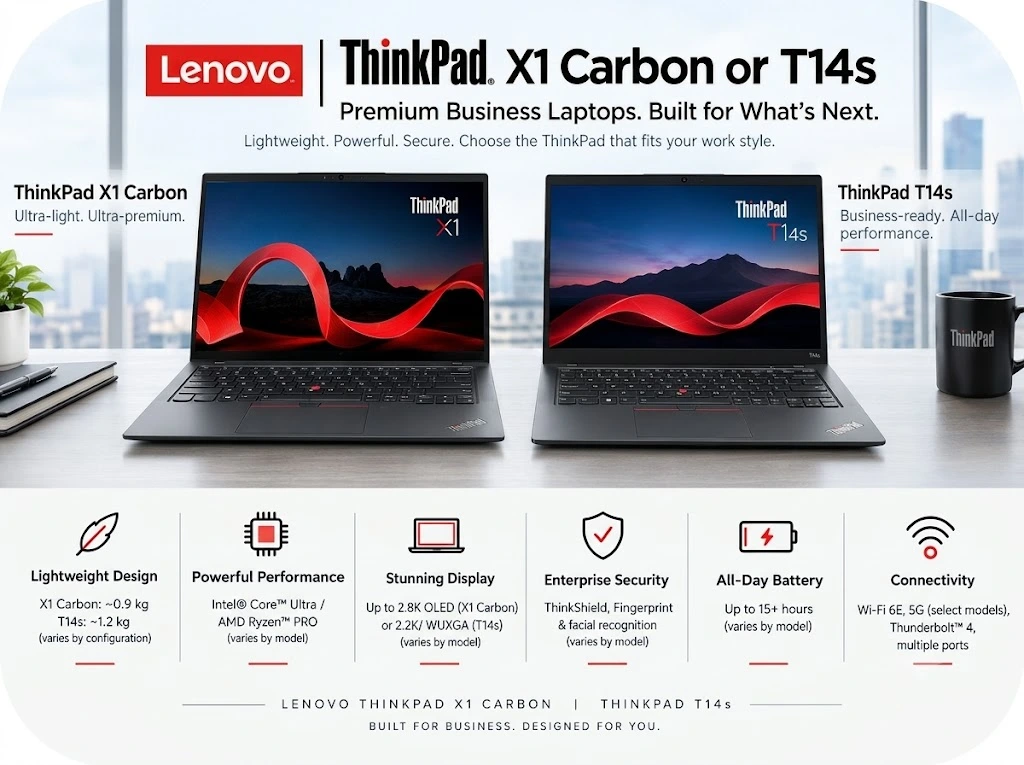
ThinkPads are worth considering for their keyboard design and business-focused features. If you intend to install Linux, verify hardware compatibility and support for the specific configuration.
3. Dell XPS 14 or Dell Pro
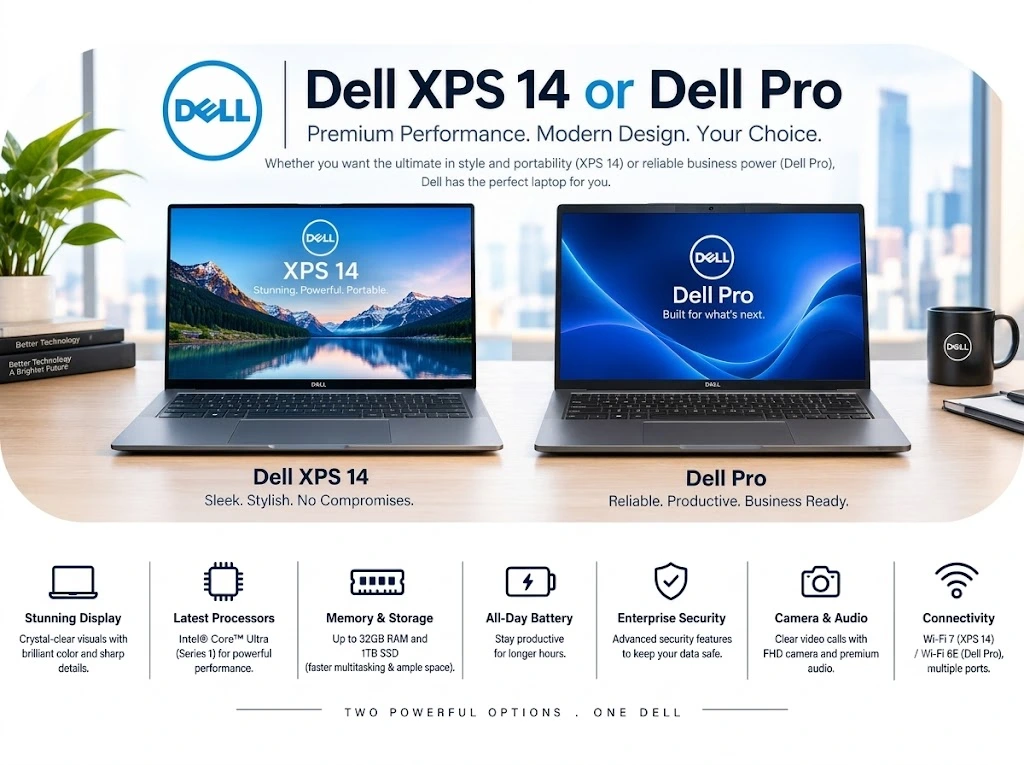
These models may suit students who prefer Windows and need a capable laptop for coding and multitasking. Windows Subsystem for Linux can support many development workflows, although specialist coursework may require additional compatibility checks.
4. Asus ROG Zephyrus G14 or HP Omen Transcend 14
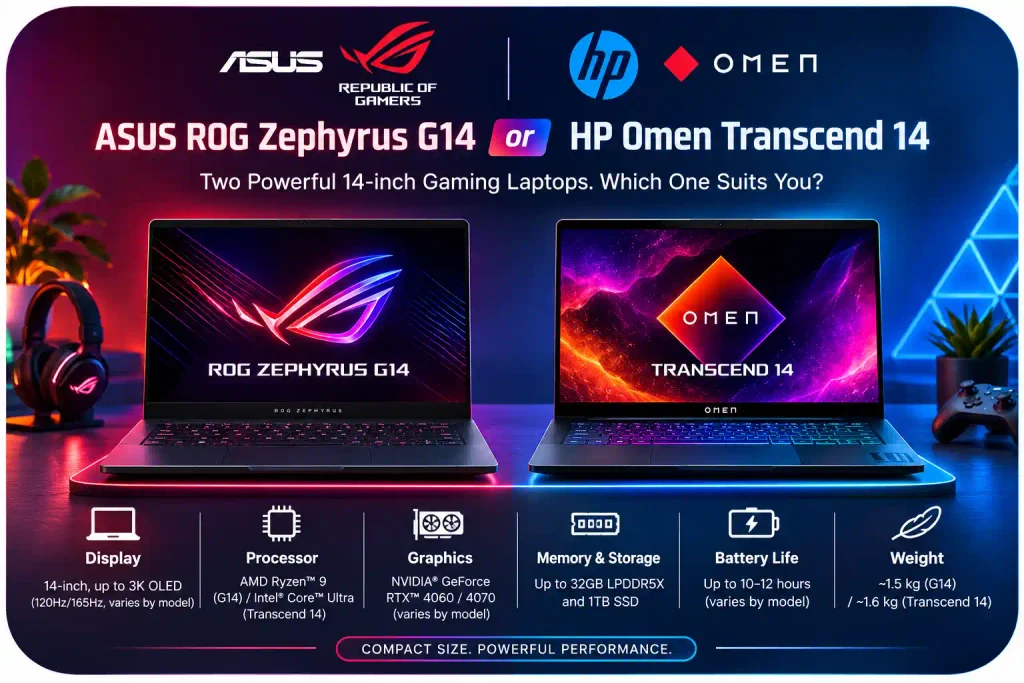
Students working with game engines, graphics-heavy applications, or CUDA-based development may need a dedicated NVIDIA graphics card. Gaming-focused laptops can provide this hardware, but they may cost more, weigh more, and have shorter battery life than ordinary student laptops.
How to Choose a Laptop: A Practical Checklist
Before buying a laptop, follow these steps:
- Check your requirements. Review your university course, workplace software, or specialist applications to identify operating system and hardware needs.
- Choose the operating system. macOS may suit users who prefer Apple’s ecosystem; Windows offers broad software compatibility; Linux can be useful for development and technical work.
- Prioritise memory. For most buyers planning to keep a laptop for several years, 16GB is a sensible target. Consider more memory for intensive workloads.
- Choose enough storage. Compare 512GB and 1TB SSD configurations based on your files, projects, and applications.
- Check the ports. Consider USB-C, USB-A, HDMI, and support for external monitors. You may need a compatible hub or dock.
- Compare the warranty. Check coverage, repair options, return conditions, and local service availability.
- Look for discounts. Students in the US can compare education pricing and seasonal sales. Check the final price after upgrades, taxes, and accessories.
Benefits and Drawbacks of Modern Laptop Technology
Benefits
Improved battery life: Efficient processors can allow compatible laptops to run for many hours away from a power outlet. Actual battery life depends on brightness, software, workload, and battery capacity.
On-device AI features: Some laptops include a neural processing unit (NPU) for supported AI tasks, such as certain video effects and local processing features. The benefits depend on the applications you use.
Faster wireless connections: Newer Wi-Fi standards can improve performance on compatible networks. Your router, internet plan, and surrounding network conditions also affect speeds.
Drawbacks
Higher repair costs: Soldered memory and other integrated components can make upgrades difficult. Check repairability before purchasing.
Display trade-offs: OLED screens can provide rich contrast and vivid images, but power consumption varies with brightness and displayed content. OLED technology can also experience burn-in under certain long-term usage conditions.
Expensive upgrades: A low advertised price may refer to a configuration with limited RAM or storage. Compare the cost of the configuration you actually need rather than the base price alone.
Common Laptop Problems and What to Check
An ARM laptop cannot run a required application: Some software works through emulation, but drivers and specialist tools may require native support. Check compatibility with your college or workplace before purchasing.
An external monitor looks choppy: Check your cable, adapter, monitor refresh rate, and the laptop’s display-output specifications. A low-capability adapter may restrict resolution or refresh rate.
The laptop becomes hot during development: Heavy workloads naturally generate heat. Close unnecessary applications, keep vents unobstructed, and use the laptop on a suitable hard surface. If overheating persists, consult the manufacturer’s support guidance.
Frequently Asked Questions
1. Which laptop brand is best in 2026?
Apple, HP, Dell, Lenovo, and Asus all offer options worth considering. The best choice depends on your budget, software needs, build quality, service support, and preferred operating system.
2. Is 8GB RAM enough in 2026?
It can be sufficient for basic browsing, writing, and video streaming. However, 16GB is a better starting point for many users who multitask or plan to keep a laptop for several years. Programming students and power users may need more.
3. Which laptop is best for computer science students?
A MacBook Air with adequate memory and storage is a strong option for many students. Lenovo ThinkPads, Dell XPS models, and repairable laptops are alternatives for those who prefer Windows, Linux, or hardware flexibility.
4. Should CS students buy Mac or Windows?
Both can work well. Consider your university’s software requirements, programming tools, and hardware labs. Windows may be necessary for some specialist applications, while macOS offers a Unix-based development environment.
5. What should I prioritise when buying a student laptop?
Focus on at least 16GB of RAM, a 512GB SSD, good battery life, a comfortable keyboard, a clear display, and compatibility with your course software.
6. Are ARM laptops suitable for college?
They can be excellent for web-based work and compatible applications. However, students should check specialist software, virtualisation, drivers, and development-tool support before buying one.
7. When is the best time to buy a laptop in the US?
Back-to-school promotions, Black Friday, Cyber Monday, and seasonal clearance sales can offer discounts. Compare the final price and configuration instead of relying on the size of the advertised discount.
Final Verdict
The best laptop in 2026 is the one that fits your workload, budget, and software requirements.
- For everyday use and college: Consider the MacBook Air or a comparable Windows ultrabook.
- For budget-conscious students: Compare entry-level laptops carefully, paying attention to memory and storage.
- For Windows productivity: Evaluate HP OmniBook and Dell XPS configurations.
- For computer science: Aim for 16GB to 32GB of RAM, a 512GB SSD or larger, and reliable software compatibility.
- For repairability: Consider a modular laptop if you want to upgrade components over time.
Before purchasing, verify the exact specifications, current price, warranty, and compatibility with your applications. A careful comparison will help you choose a laptop that meets your needs now and remains useful as your workload grows.
Check This Also
Best Android TVs in India (2026): Top Picks for Every Budget
2 thoughts on “Best Laptops in 2026: Top Picks for Students, Professionals, and CS Majors”