How to Get Your PUK Code to Unlock Your SIM Card
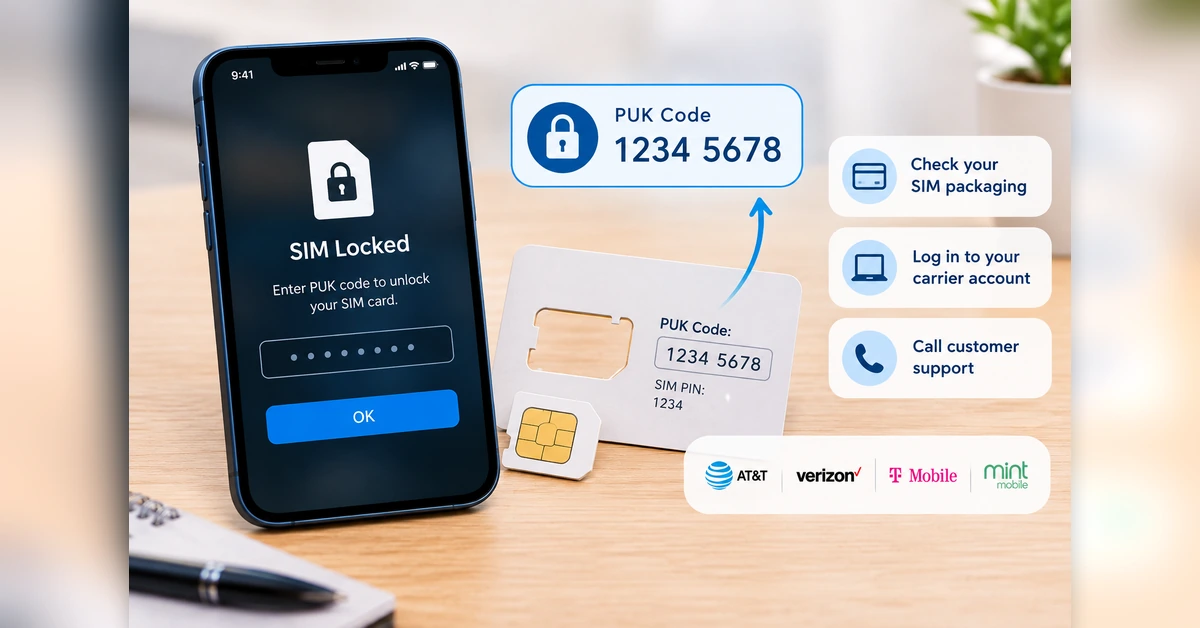
If your phone screen says “SIM Locked” and is asking for a PUK code, you can find this 8-digit number in three ways:
- Check the original packaging: Find the larger plastic card that your SIM was attached to when you first got it. You will find the PUK code printed directly on the back.
- Check your carrier account: Log into your wireless provider’s website or mobile app and look under device security or SIM settings.
- Call customer support: Call your carrier from a different phone. After verifying your identity, they will give you the code.
STOP: Do not guess your PUK code. If you enter it incorrectly 10 times, your SIM card will be permanently destroyed, and you will need to buy a physical replacement.
Key Takeaways
- A PUK (Personal Unblocking Key) is an 8-digit code tied specifically to your SIM card.
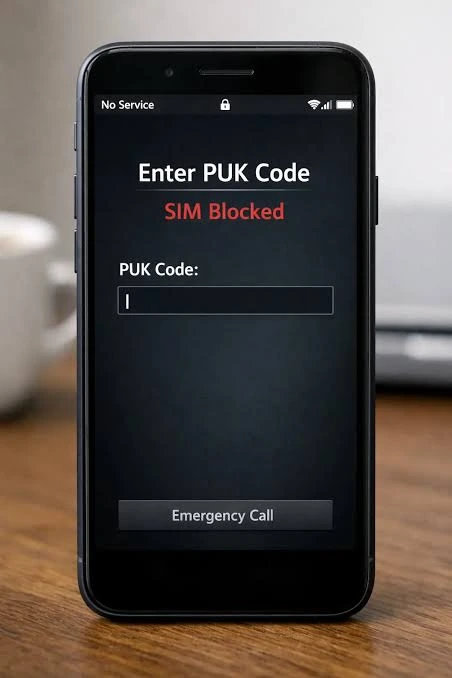
- Phones ask for a PUK code only after a SIM PIN has been entered incorrectly three times.
- Your cell phone provider is the only one who holds your specific PUK code.
- Apple, Samsung, and Google cannot provide your PUK code.
- Unlocking a SIM card with a PUK will not delete any apps, photos, or data on your phone.
Introduction
Getting locked out of your cell phone is incredibly stressful. If you tried to change your SIM PIN or accidentally entered the wrong code too many times, your phone will shut down all cellular functions and demand a “PUK Code.”
Without this code, you cannot make calls, send texts, or use mobile data. Fortunately, retrieving this code is a standard security process. This guide will show you exactly where to find your PUK code and how to retrieve it from major US carriers.
3 Ways to Find Your PUK
When your SIM card locks, you have three primary ways to retrieve the code.
1.Check the original SIM card packaging:
Fastest option if you keep your boxes.
When you bought your SIM card, it came embedded in a credit-card-sized piece of plastic. The 8-digit PUK code is printed directly on the back of this plastic card, usually right below the standard SIM PIN.
2.Log into your carrier’s online portal:
Best if you don’t have the physical packaging.
Most major US carriers allow you to view your PUK code online. Log into your account via a web browser on your computer or a tablet. Navigate to your device settings, look for a section labeled “Security,” “Manage Device,” or “SIM settings,” and request the PUK code.
For example, AT&T’s official PUK code guide explains how to retrieve the code through its support system.
3.Call your carrier’s customer support:
Requires a secondary phone.
If you cannot log in online, you must call your carrier’s support line from a different phone (since yours is locked). You will need to provide your account PIN, billing zip code, or social security number to verify your identity before the representative will release the code.
You can also check Apple’s official SIM PIN support guide, which explains why you should contact your carrier rather than guess a PUK code.
How to Get Your PUK Code by US Carrier
If you need to retrieve your code online, the steps vary slightly depending on your wireless provider.
| Carrier | How to Find the PUK Code Online | Phone Support |
|---|---|---|
| AT&T | Access the customer portal and route to “My AT&T,” followed by “My wireless.” Specify the device requiring configuration, select “Manage device & features,” and proceed to choose [the required setting]. Get your PIN and PUK. | Call 800-331-0500 |
| Verizon | Log in to your Verizon account and head over to “My Verizon,” then go to “Account” and select “My devices.” Choose the phone you are working with, click on “Tap “Manage Device,” then select “PIN and PUK unlocking.” | Call 800-922-0204 |
| T-Mobile | Follow this path in your T-Mobile account: Account > [Choose your line] > Check PUK Code. | Call 1-800-937-8997 |
| Mint Mobile | Not available via the online dashboard. You must call customer service or use the web chat feature. | Call 800-683-7392 |
What is a PUK Code?
PUK stands for Personal Unblocking Key. It is a unique 8-digit security code assigned to your specific SIM card at the factory.
Its entire purpose is to act as a fail-safe. Modern phones allow you to set a “SIM PIN”—a 4-digit password required to use the SIM card when the phone is rebooted. This prevents thieves from taking your SIM card and putting it into another phone to steal your phone number and bypass two-factor authentication.
If someone guesses that 4-digit SIM PIN incorrectly three times, the SIM card locks itself defensively. The only way to unlock it is by providing the 8-digit factory PUK code.
How It Works
Once you have your 8-digit PUK code from your carrier, follow these steps carefully:
- Wake your phone up: Ensure the screen is displaying the “Enter PUK” prompt.
- Type the 8 digits carefully: Enter the PUK code provided by your carrier.
- Press OK / Enter: Submit the code.
- Set a new SIM PIN: Right after that, your phone will prompt you to type in a brand-new 4-digit code for your SIM card. Enter a number you will remember.
- Confirm the new PIN: Enter the 4-digit number one more time.
Your phone will now connect to the cellular network, and your service will be fully restored.
Common Problems: The 10-Attempt Rule
The biggest mistake users make is treating the PUK screen like a normal lock screen and trying to guess the code based on birthdays or anniversaries.
For more information, read T-Mobile’s official PUK code instructions, which explain the consequences of entering an incorrect PUK code too many times.
You are only allowed a maximum of 10 chances to enter the correct PUK code.
If you enter the wrong PUK code 10 times, the SIM card enters a state called “PUK Exhaustion.” When this happens, the SIM card is permanently, irreversibly disabled. It cannot be fixed by Apple, Samsung, or your carrier. You will be forced to go to a physical carrier store, purchase a brand new SIM card, and have your phone number transferred to it.
Procedure for Carrier Network Unlocking
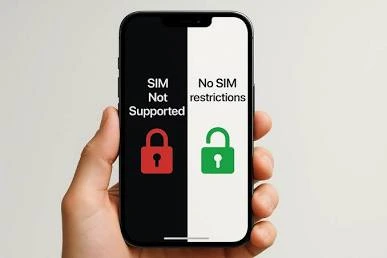
Mobile devices acquired directly from a telecommunications provider are typically subject to a network lock. This restriction ensures the hardware operates exclusively on the original carrier’s infrastructure until it is formally authorized for release. If you want to switch to a cheaper carrier, use a local SIM card while traveling abroad, or sell your phone for more money, you need to unlock it.
How to Get a Network Unlock Code
1. Verify Your Eligibility
Mobile providers will not lift a network restriction simply because you ask. The hardware must satisfy the provider’s exact prerequisites prior to the authorization of a network unlock. Standard compliance mandates typically begin with:
- Device paid in full: The hardware financing agreement must be completely settled. You cannot have a remaining balance on your phone’s installment plan.
- Your account is in good standing: You must not have any unpaid or overdue bills.
- Active network time: Most carriers require you to use the device on their network for a set amount of time—usually around 40 to 60 days—before they will process an unlock request.
- Not reported stolen: The phone’s IMEI number must be clean, meaning it hasn’t been flagged as lost, stolen, or tied to fraud, or involved in fraud.
2. Find Your IMEI Number
To unlock your phone, your carrier needs its exact ID number. This is called the IMEI number.
You can find it quickly on any phone:
- Open your phone app.
- Dial
*#06#on the keypad. - The 15-digit IMEI number will pop up on your screen. Write it down.
3. Contact Your Carrier to Request the Unlock
Once you know you are eligible and have your IMEI number ready, it is time to ask for the unlock.
1. Submit an unlock request:
Go to your carrier’s website and search for “Device Unlock.” Most major carriers (like AT&T and T-Mobile) have an online form you can fill out. You can also call their customer support line.
2. Wait for approval:
It usually takes two to three business days for the carrier to process your request. They will send you an email when it is done.
3. Get your unlock code or instructions:
If you have an Android phone, the carrier will usually email you a specific “network unlock code.” If you have an iPhone, Apple handles the unlock remotely over the internet, so you will not need a physical code.
4. Complete the Unlock Process
Once your carrier approves the unlock, you have to finish the job on your phone.
If you have an Android phone:
- Turn off your phone.
- Take out your old SIM card and put in a SIM card from a different carrier.
- Turn the phone back on.
- The screen will ask for a “Network Unlock Code” or “SIM Network Unlock PIN.”
- Type the code your carrier emailed you.
If you have an iPhone:
- Turn off your phone.
- Put in the new SIM card from your new carrier.
- Turn the phone back on.
- The iOS device will establish a connection to Apple’s servers via Wi-Fi or cellular data to automatically configure the necessary network settings. Upon completion, the handset is permanently unlocked and fully operational on any compatible telecommunications infrastructure.
Frequently Asked Questions
Will I find the PUK code printed directly on the actual SIM card?
No. The SIM card itself only has the ICCID (SIM card number) printed on the gold and plastic chip. The PUK code is printed on the larger plastic punch-out card the SIM originally came attached to.
Can Apple or Samsung give me my PUK code?
No. Phone manufacturers do not have access to SIM card security codes. Only your cellular service provider (the company you pay your phone bill to) has your PUK code on file.
Will I lose my photos if my SIM card is locked?
No. A SIM lock only restricts cellular network access (calls, texts, and mobile data). It does not wipe your phone, and it does not delete your photos, apps, or device memory.
Is a Personal Unblocking Key (PUK) functionally equivalent to a network unlock code?
No. A PUK code unlocks your specific SIM card so it can be used. A “network unlock code” unlocks your actual physical phone hardware so it can be used with a different cellular carrier.
Final Takeaway
Retrieving your PUK code is straightforward as long as you avoid blindly guessing. Start by checking the plastic card your SIM came in. If that is missing, just log into your mobile provider’s online portal using a computer, or use someone else’s phone to call customer service. Once you have the 8-digit code, type it in carefully, pick a new PIN you won’t forget, and your phone will be back to normal right away.
1 thought on “10 Costly PUK Code Mistakes That Can Permanently Lock Your SIM”